Bulk Actions for Templates
Last updated: December 26, 2025
Video
Step-by-Step Guide
Welcome to this tutorial on MyPath. By the end of this guide, you'll know how to manage tasks efficiently using Bulk Actions.
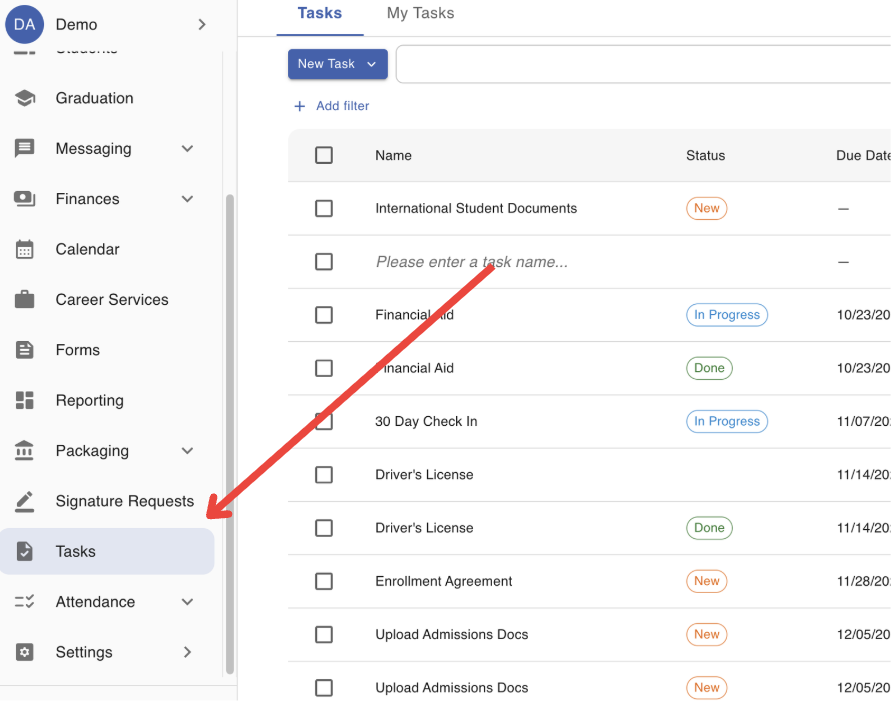
Step 1: Start by navigating to the Tasks page in MyPath.
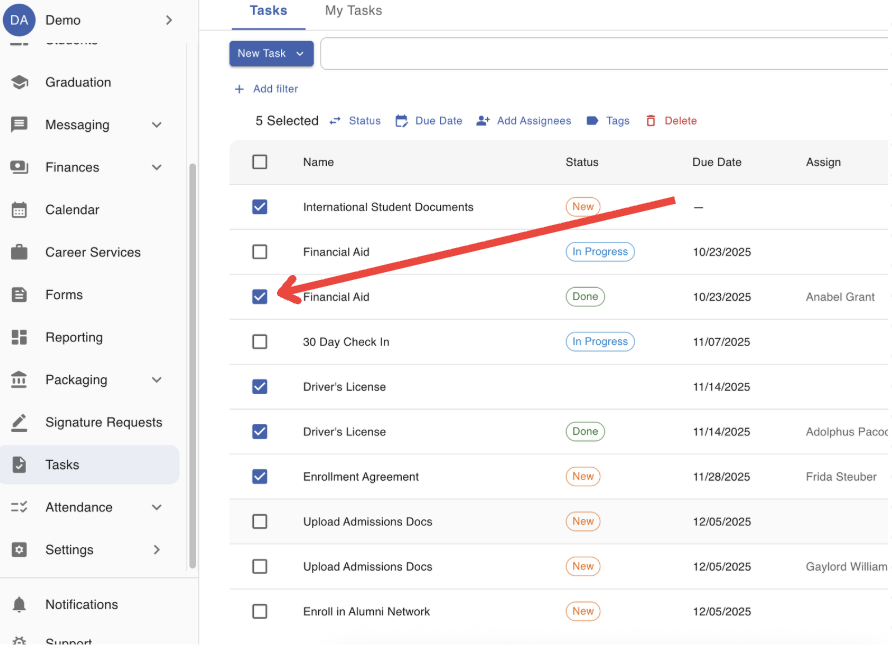
Step 2: Select all Tasks the Bulk Actions should be performed on.
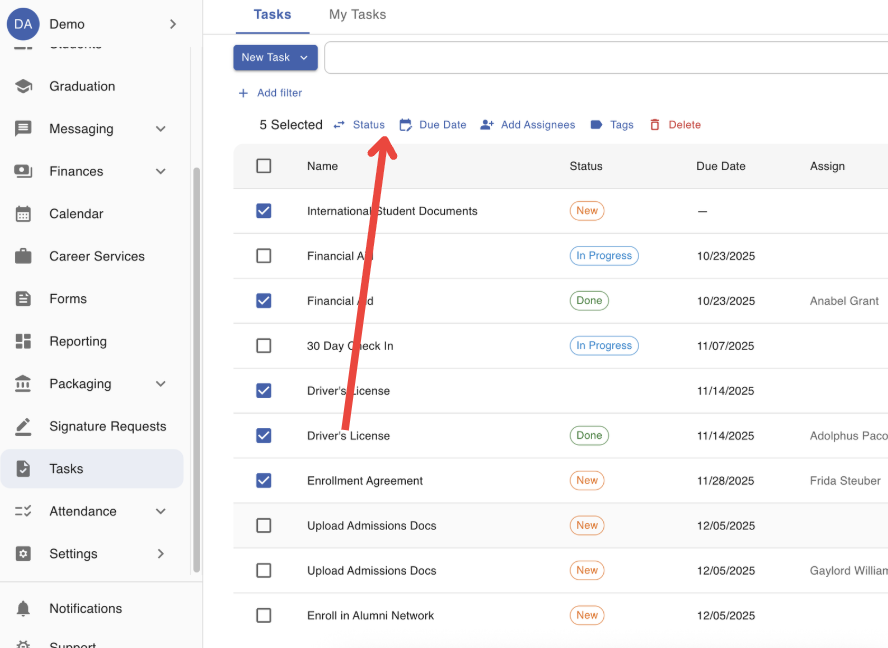
Step 3: Select the appropriate Bulk Action from the list above the table.
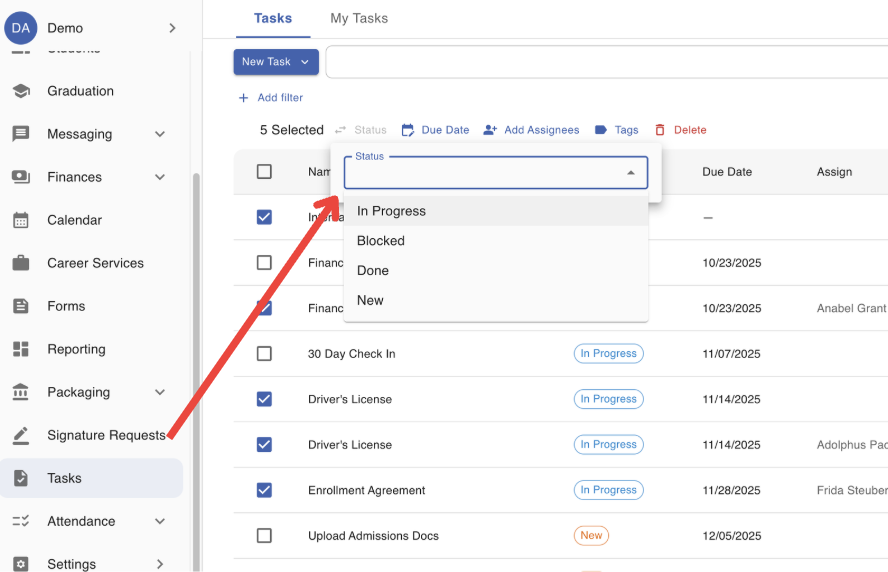
Step 4: Complete the required steps for the selected Bulk Action.