Updating Program Tuition & Fees
Last updated: December 27, 2025
Video
Step-by-Step Guide
Welcome to MyPath! In this article, we will guide you through how to update the tuition and/or fees associated with a program.
Step 1: Expand the Academics section and select the 'Programs' page.
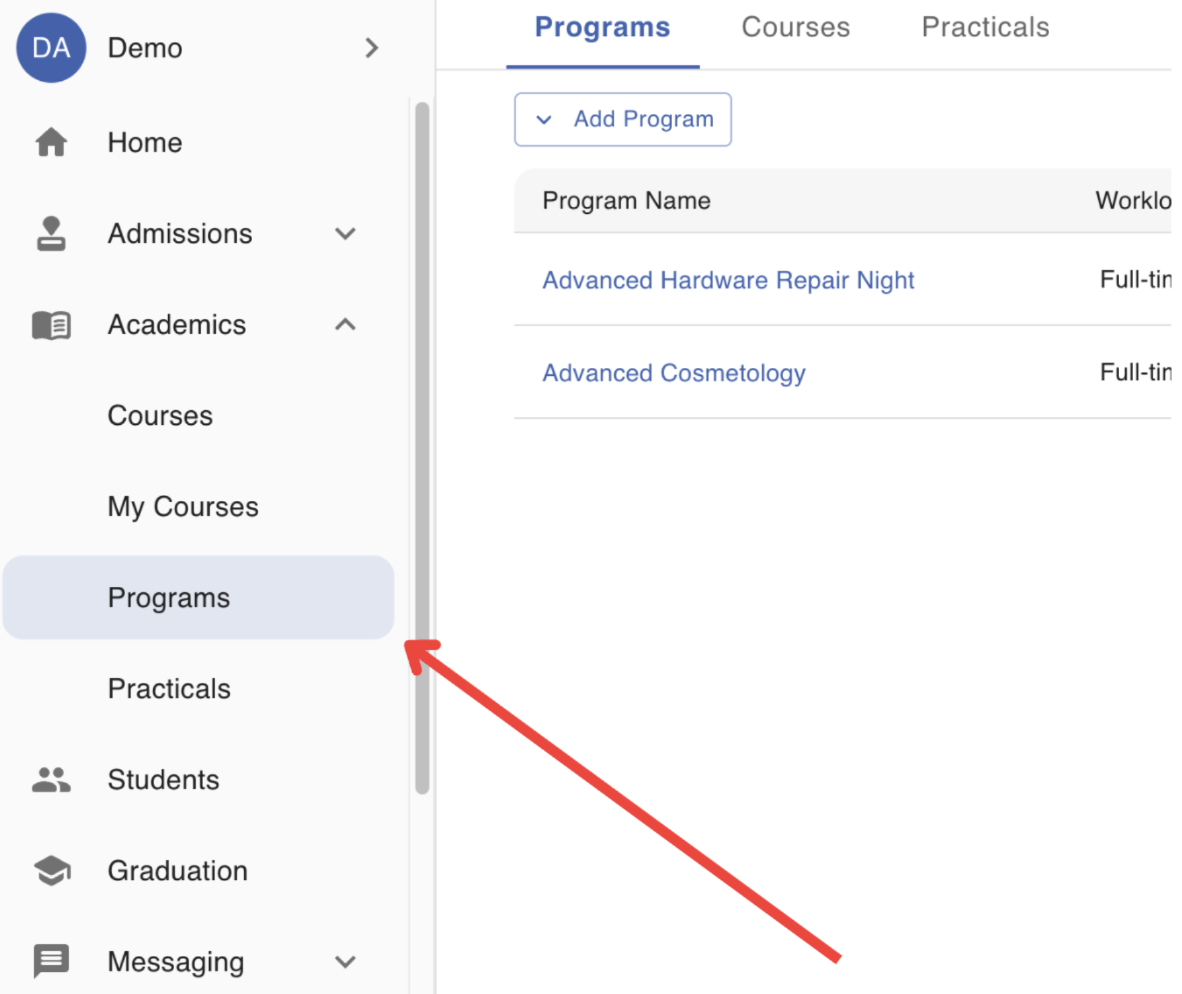
Step 2: Locate the Program that will edited
Step 3: Click on the Action Menu (3-dots) at the end of the row. Select the 'Edit' option.
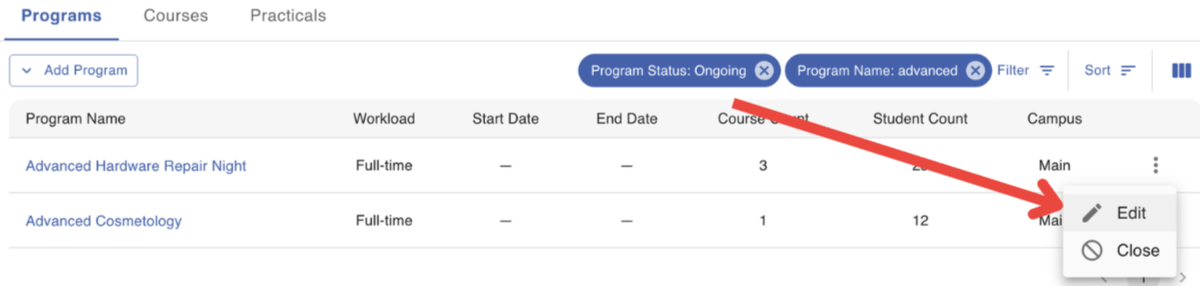
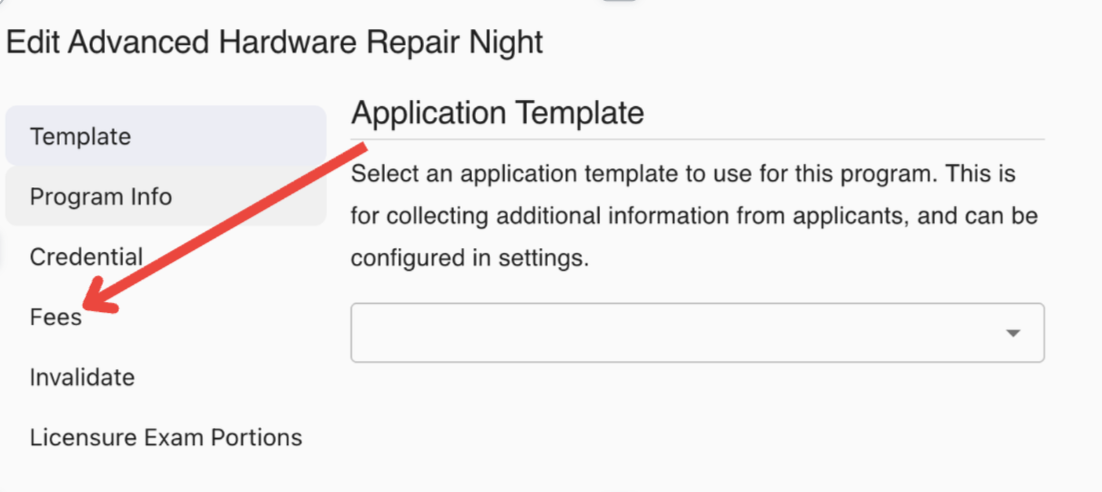
Step 4: Select the 'Fees' page of the form
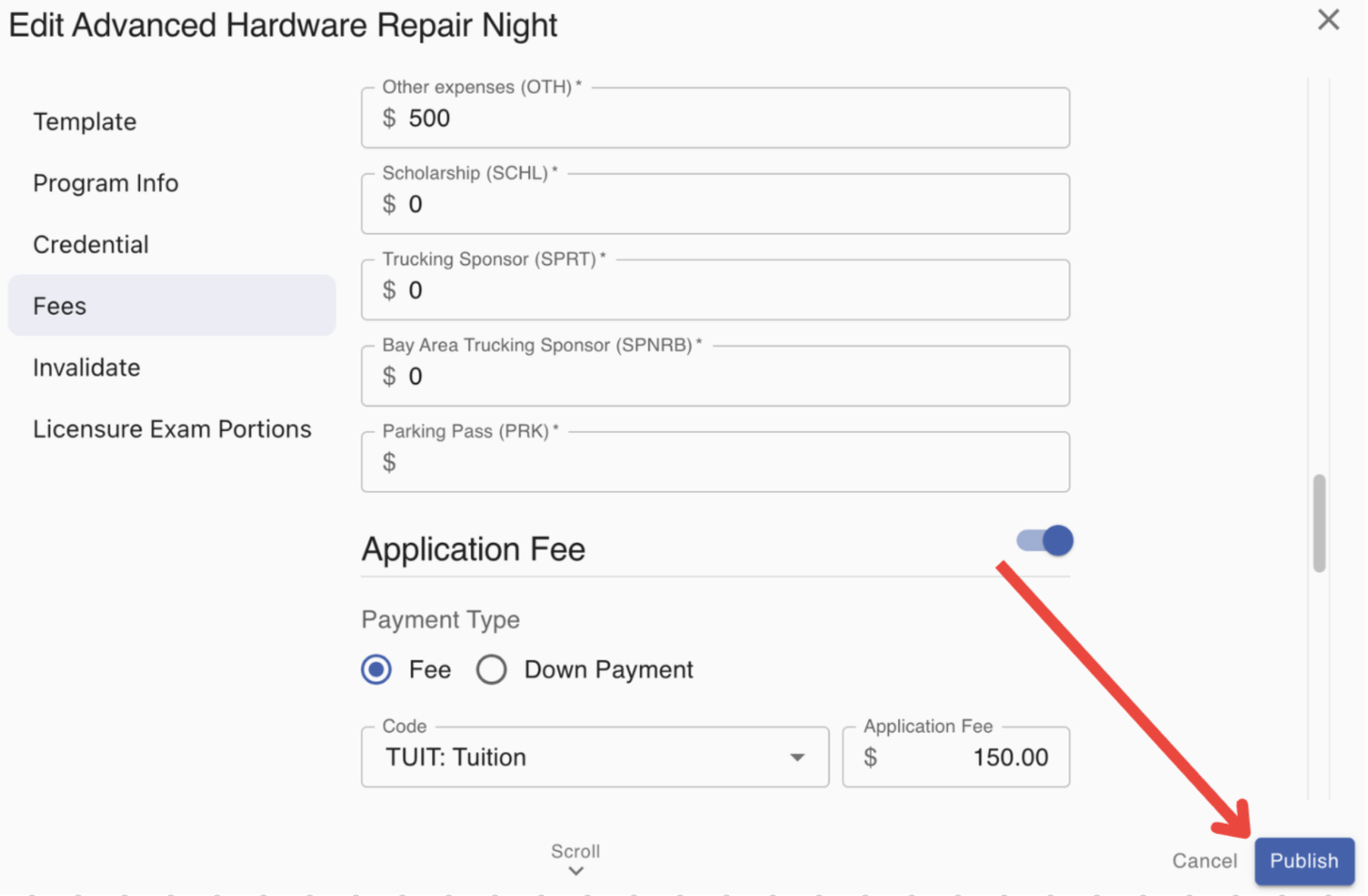
Step 5: Scroll down and edit any necessary fees listed for the program.
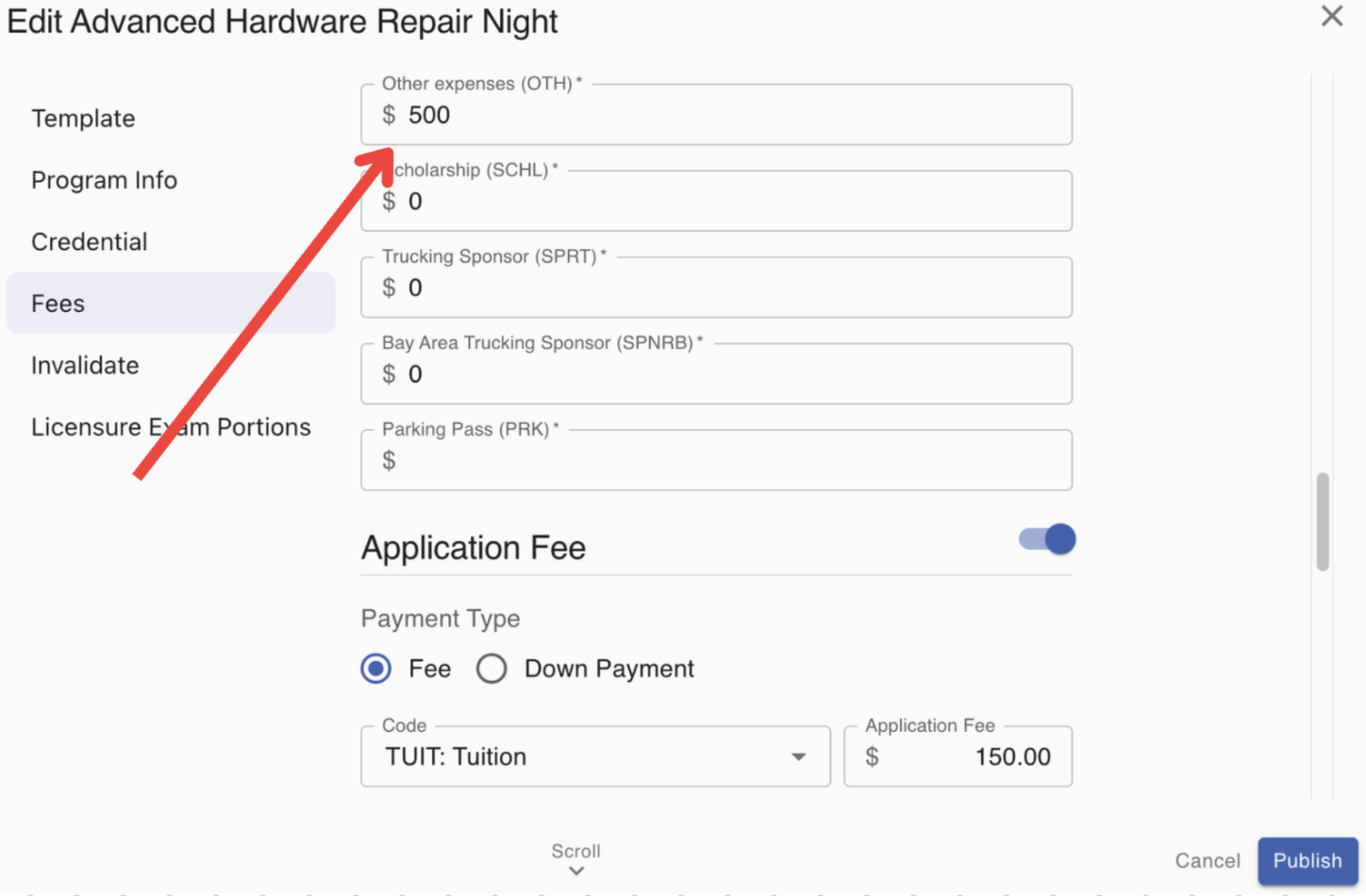
Step 6: Click 'Publish' to save your edits.
FAQs
Will students already enrolled in the program be affected by these fees?
Only if you are using the legacy 'Fee Schemes' feature to charge students tuition. The 'Fee Schemes' feature will charge students based on the fees recorded for the program.
Let's use an example where a 'Fee Scheme' has been set-up to charge students 50% of tuition upfront, and 50% of tuition once the program is 50% completed. Let's say the tuition listed on the program was $10,000 when the student was enrolled but was updated to $14,000 before the student completed 50% of their program. The 'Fee Scheme' feature in MyPath would charge the student $5,000 upfront and then $7,000 once the student has completed 50% of the program.