Editing a Program's Name
Last updated: December 26, 2025
Video
Step-by-Step Guide
Welcome to MyPath! In this article, we will guide you through editing the name for a Program in MyPath. This may be relevant for customers looking to modify the name of an imported Pivot Point license, or simply to rectify a mistake made when creating a program.
Step 1: Expand the Academics section and select the 'Programs' page.
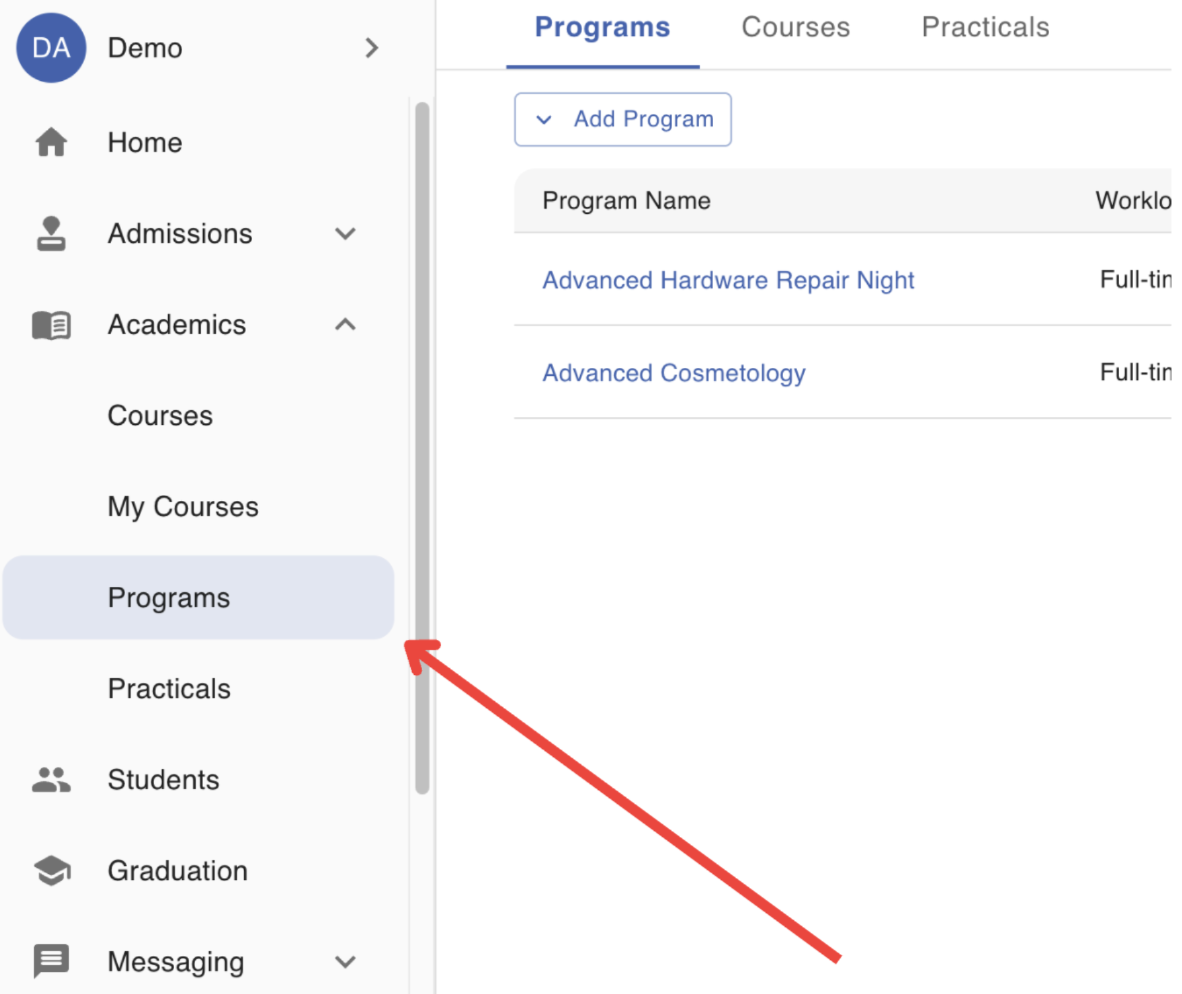
Step 2: Locate the Program that will edited
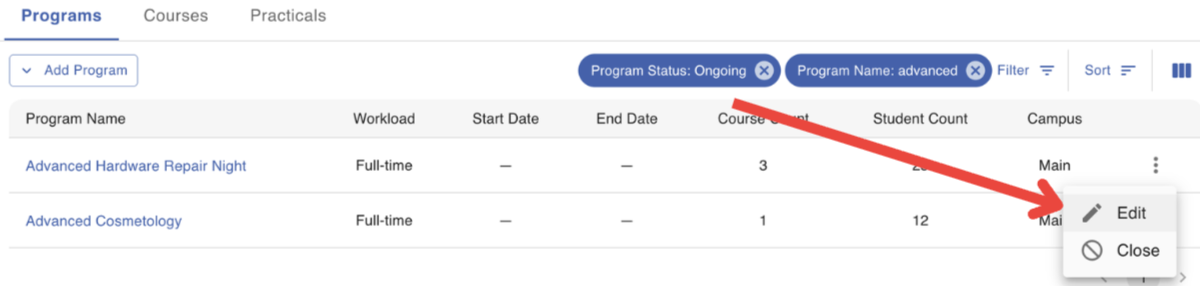
Step 3: Click on the Action Menu (3-dots) at the end of the row. Select the 'Edit' option.
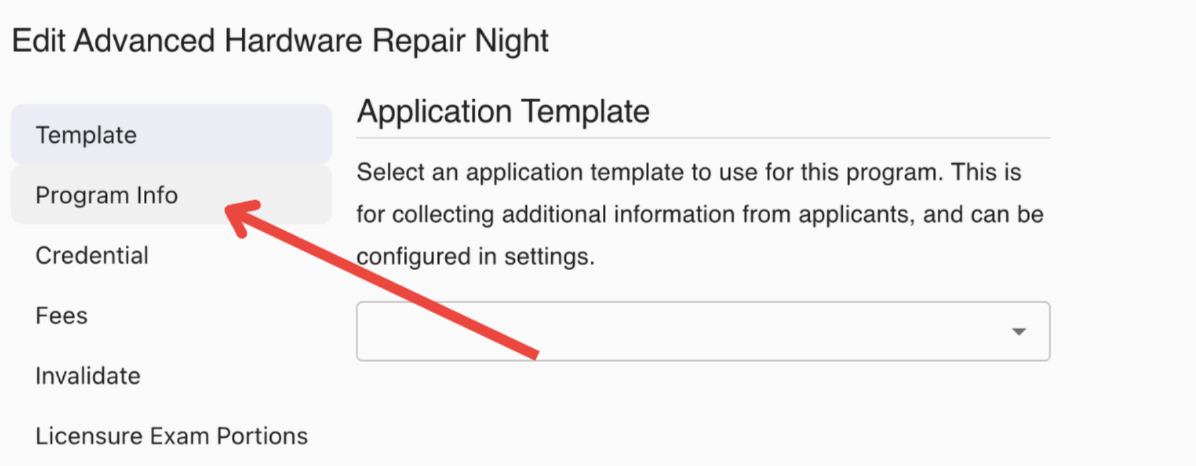
Step 4: Select the 'Program Info' page of the form
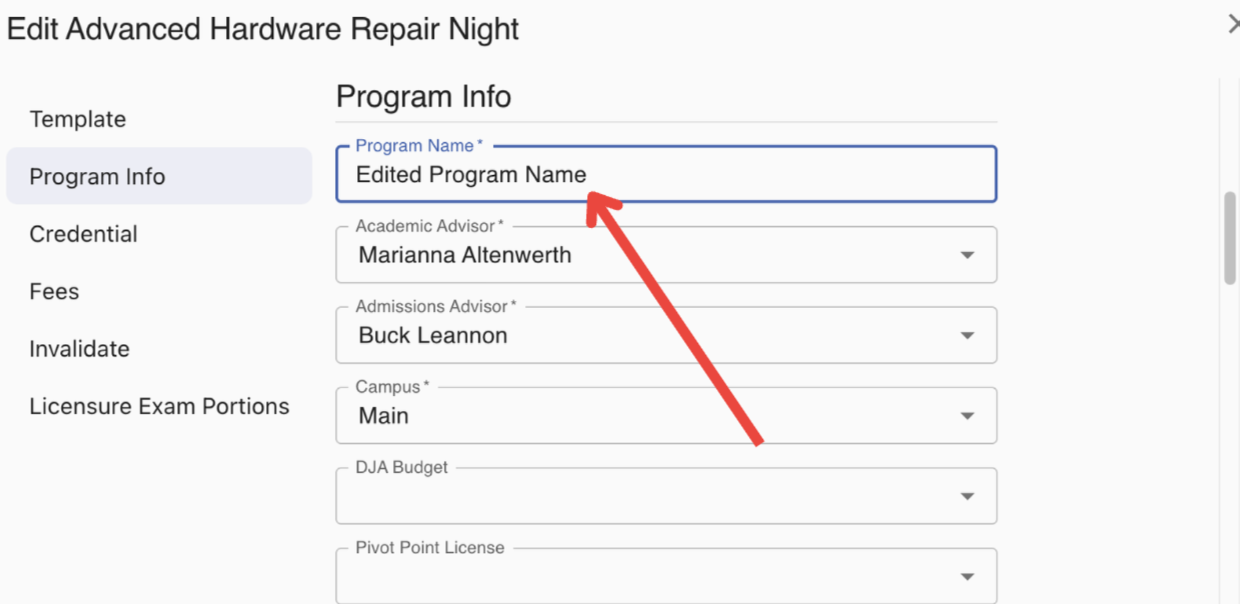
Step 5: Edit the Program's name