Charging a Student Tuition Manually
Last updated: December 29, 2025
Video
Step-by-Step Guide
In this article, you'll learn how to manually charge a student's tuition using MyPath.
Step 1: From the MyPath home page, navigate to the students module on the left-hand menu.
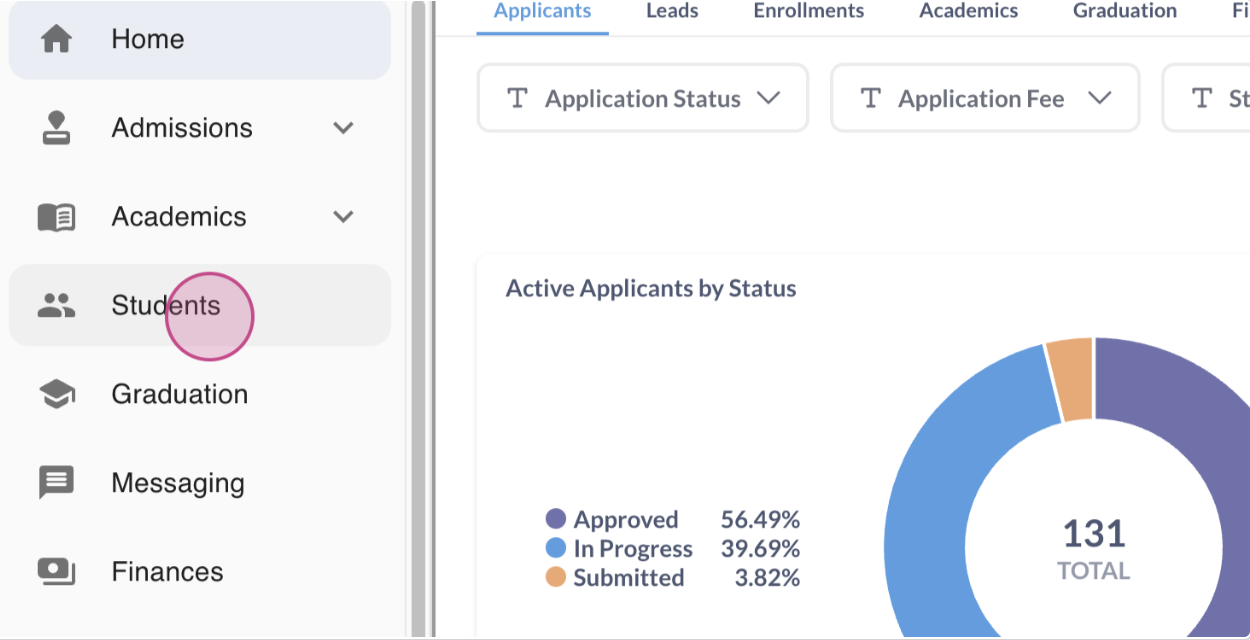
Step 2: Search for the student whose account you need to charge manually.
Step 3: Click on the student's name to open their profile. For this tutorial, we're using Steve as an example.
Step 4: We're also looking at another student, Dulce Alvarez. Click on her name to open her profile.
Step 5: Navigate to the Finances tab in Dulce's profile.
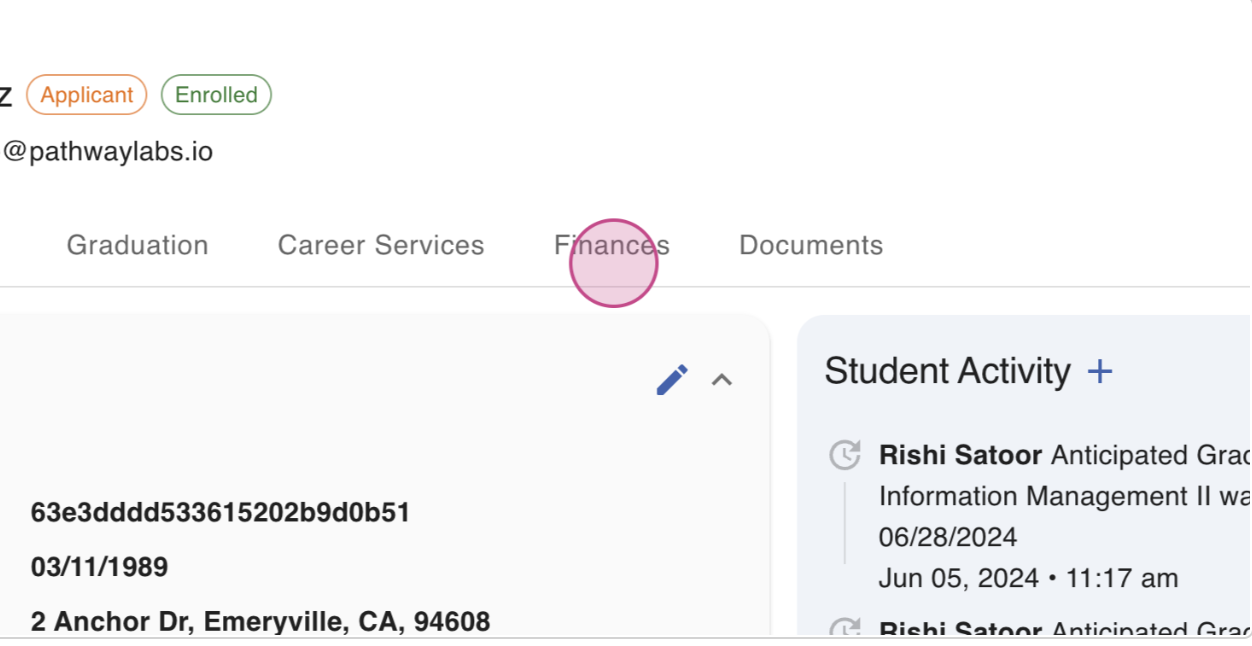
Step 6: Here, you'll see a history of transactions posted to Dulce's profile. To add a charge, press the Add button on the far right.
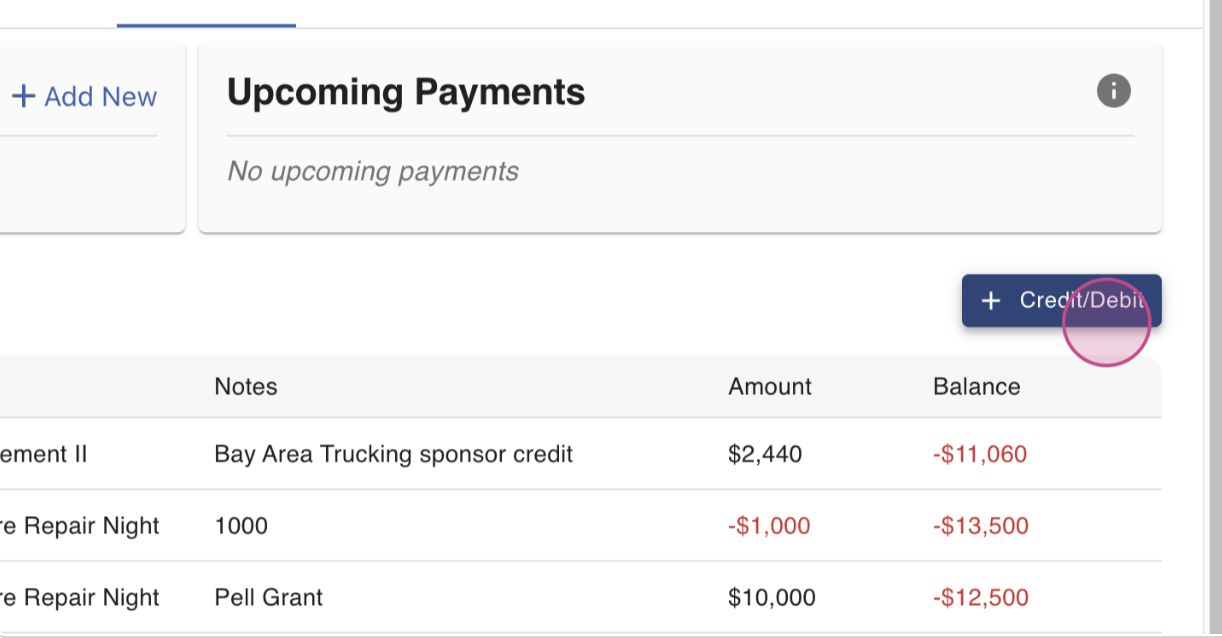
Step 7: A window will appear for you to provide details about the specific charge you're adding manually.
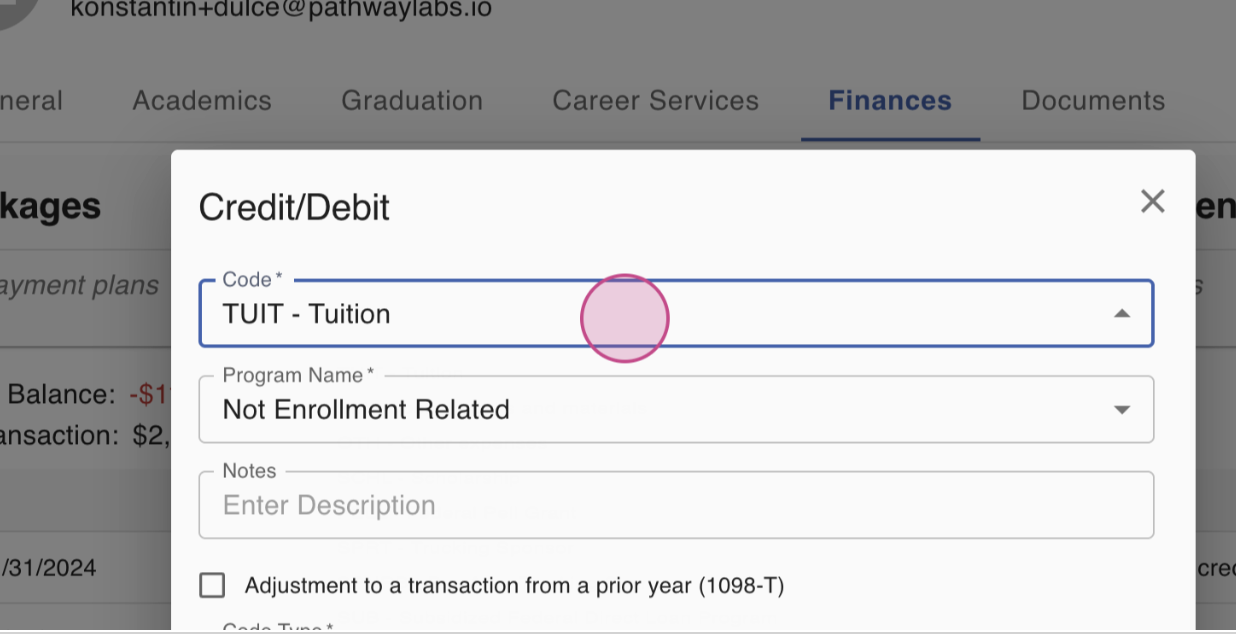
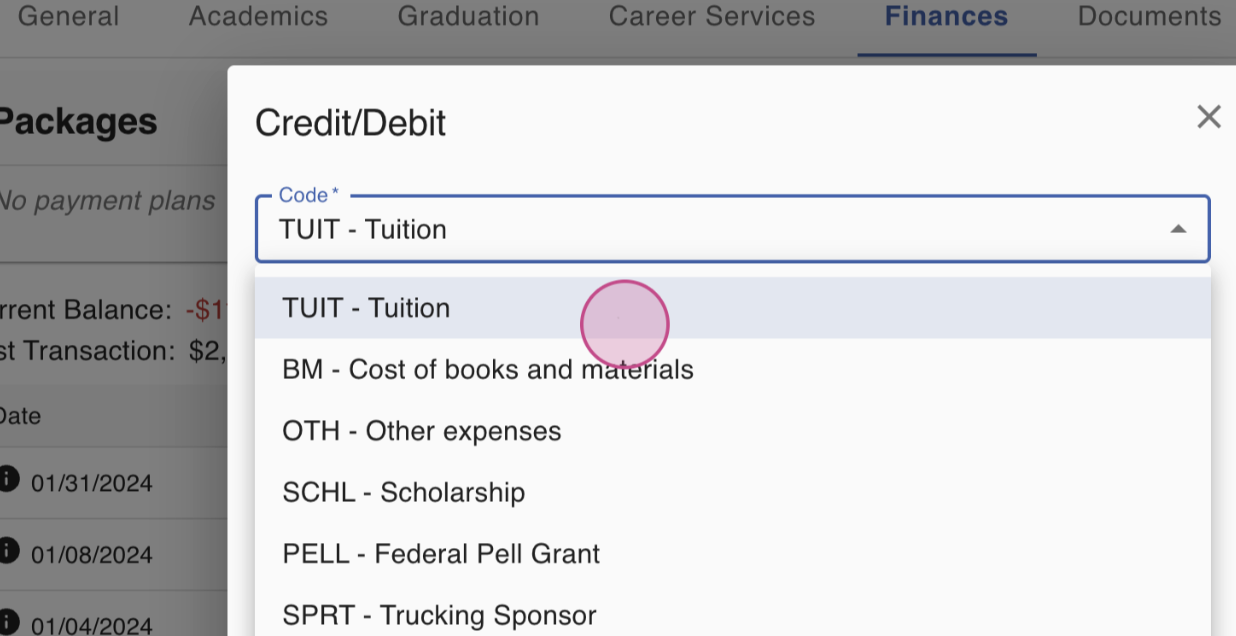
Step 8: Categorize the charge. In this case, it's tuition.
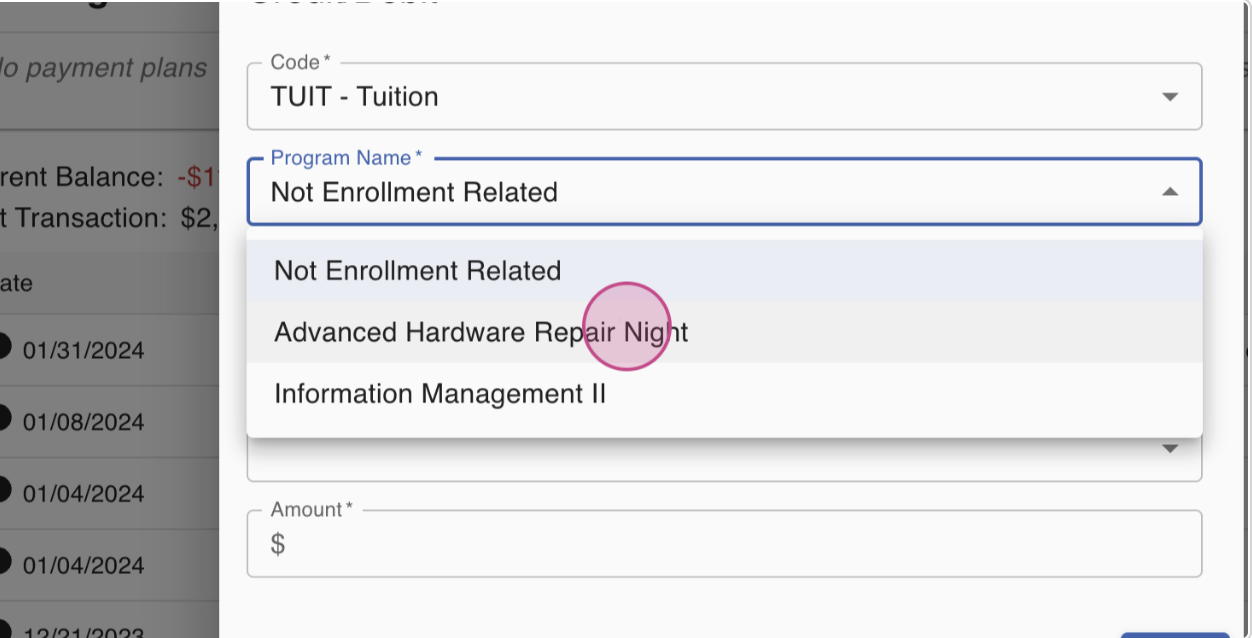
Step 9: Attach the charge to the specific program in which the student is currently enrolled.
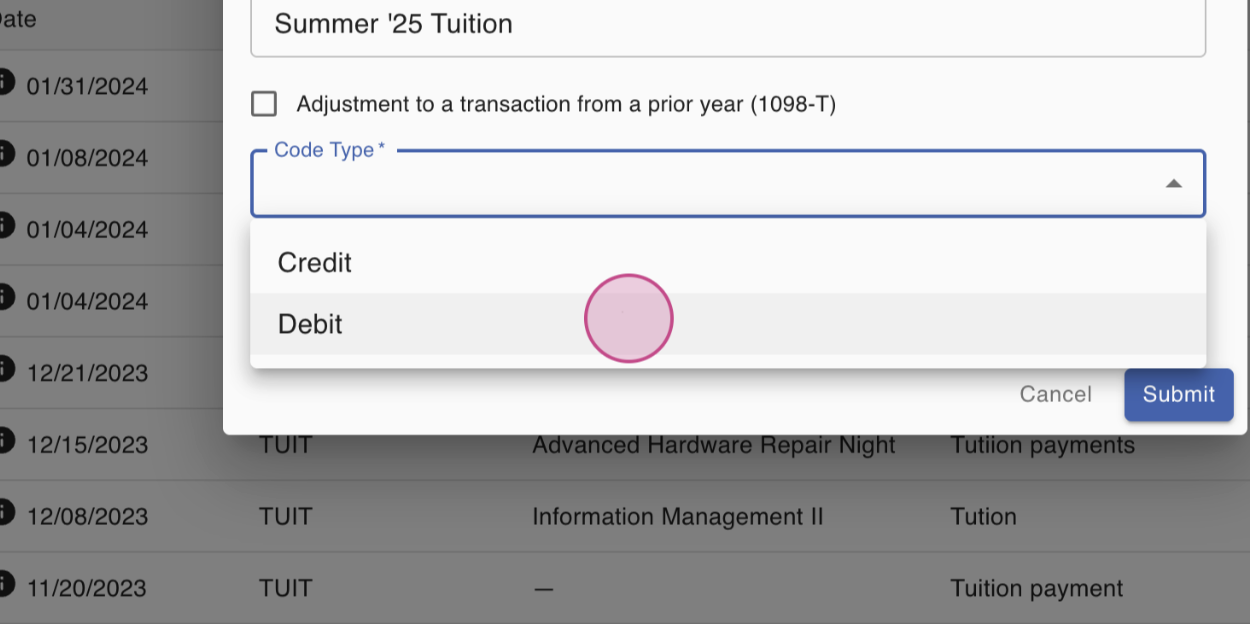
Step 10: Add some notes and categorize the type of charge being added to the student's account.
Step 11: Enter the total amount. Double-check your information before pressing Submit.
Step 12: After pressing Submit, the transaction will be successfully added and updated in the student's account.
If you have any questions about how to manually add a charge to a student's account, please reach out to your customer success representative.
FAQs
Q: Can I add charges for other items apart from tuition?
A: Yes, you can add charges for any item or service provided to the student. Just make sure to categorize the charge correctly.
Q: What if the student is enrolled in multiple programs?
A: If the student is enrolled in multiple programs, make sure to attach the charge to the correct program.