Updating an Applicant's Admissions Advisor
Last updated: December 26, 2025
Video
Step-by-Step Guide
Welcome to this tutorial on MyPath. By the end of this guide, you'll know how to update an applicant's Admissions Advisor.
Step 1: Start by expanding the Admissions section of MyPath.
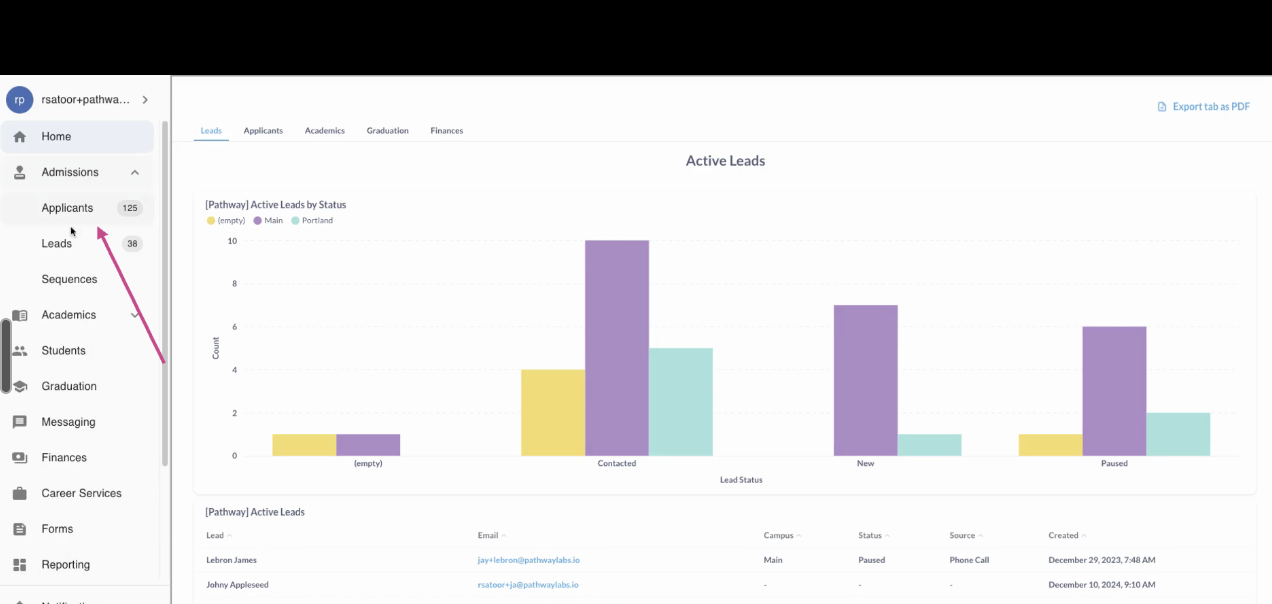
Step 2: Click on the Applicants page.
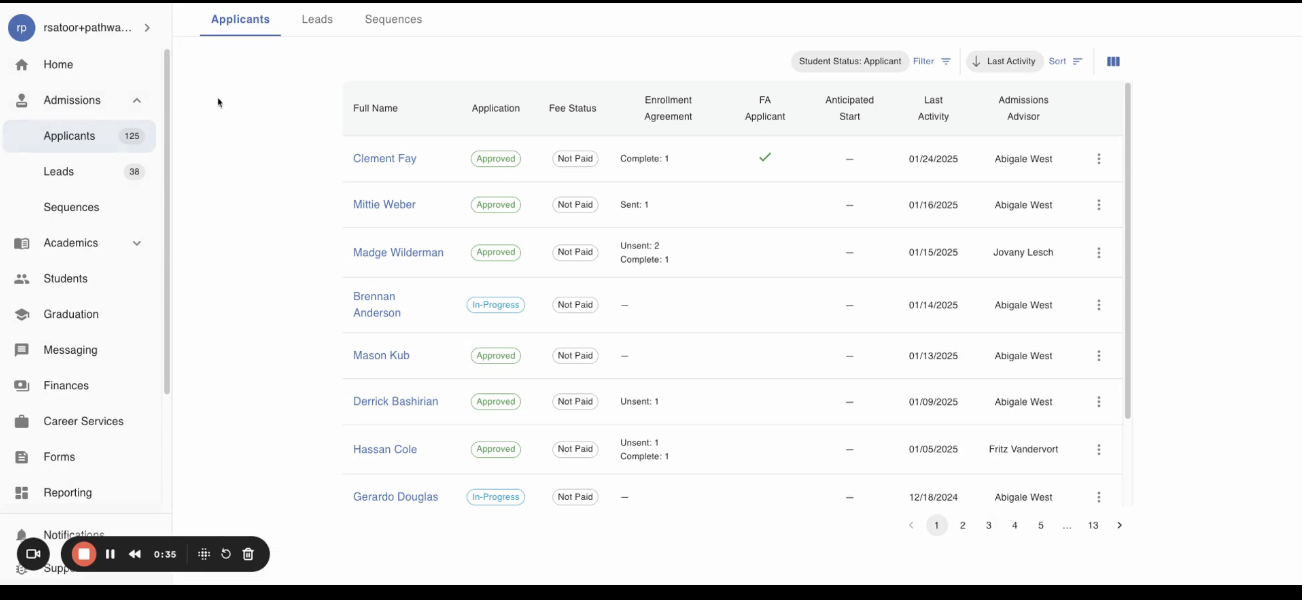
Step 3: Select the Applicant you would like to update an Admissions Advisor for.
Step 4: Locate the Edit icon next to the current Admissions Advisor
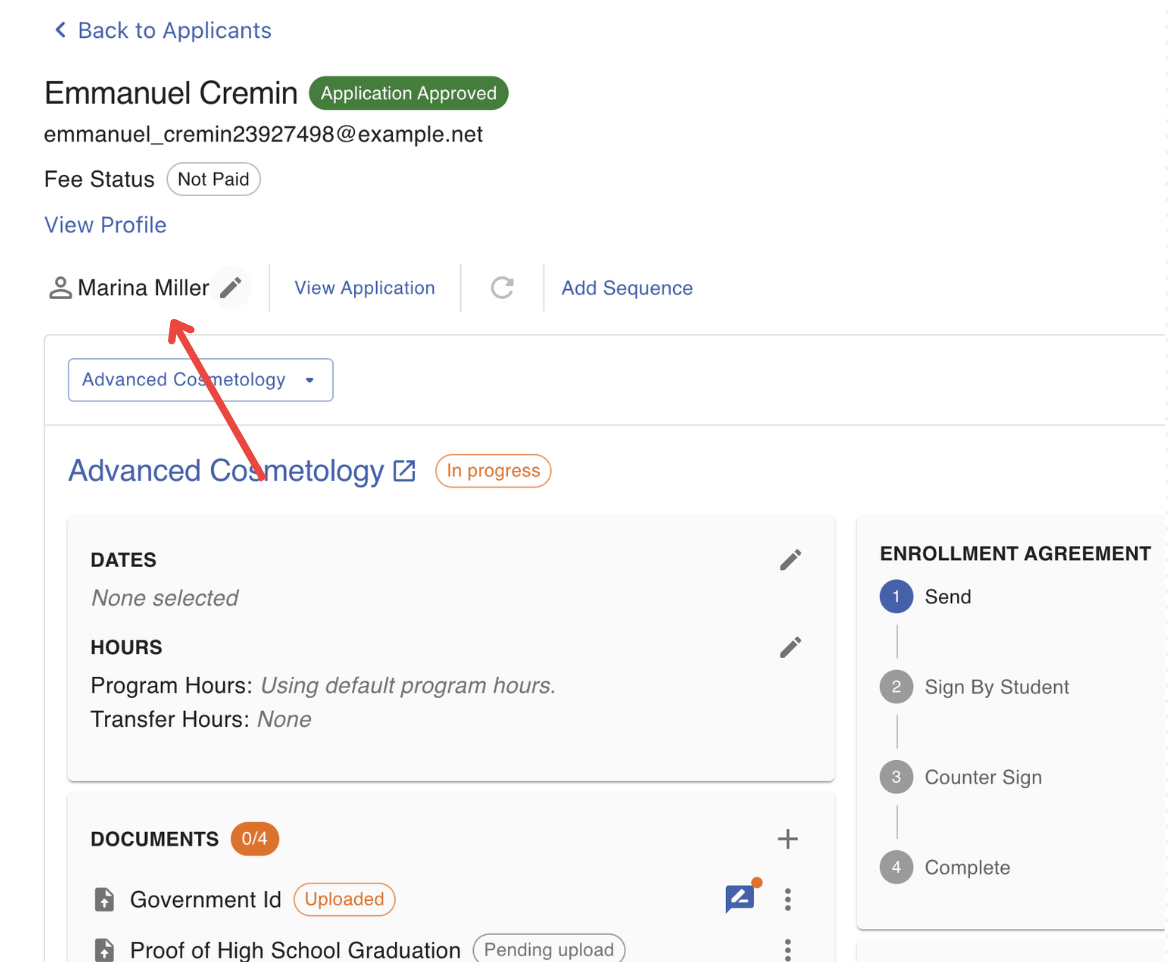
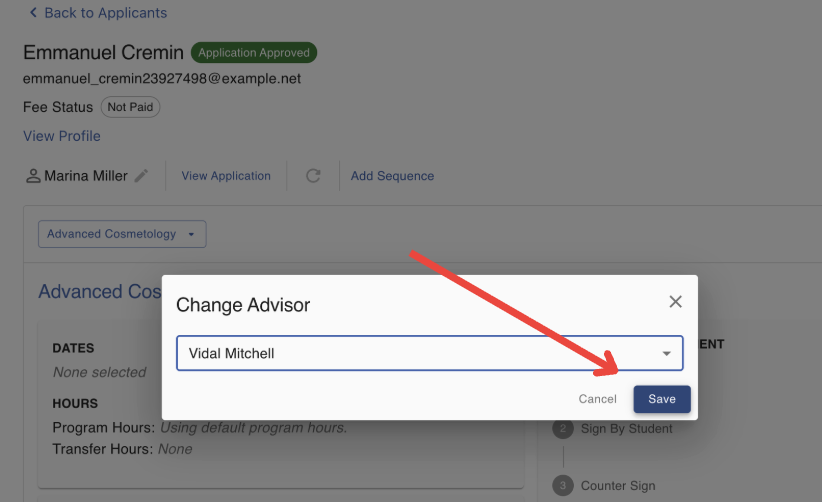
Step 5: Click on the edit icon and select a new Admissions Advisor for the applicant
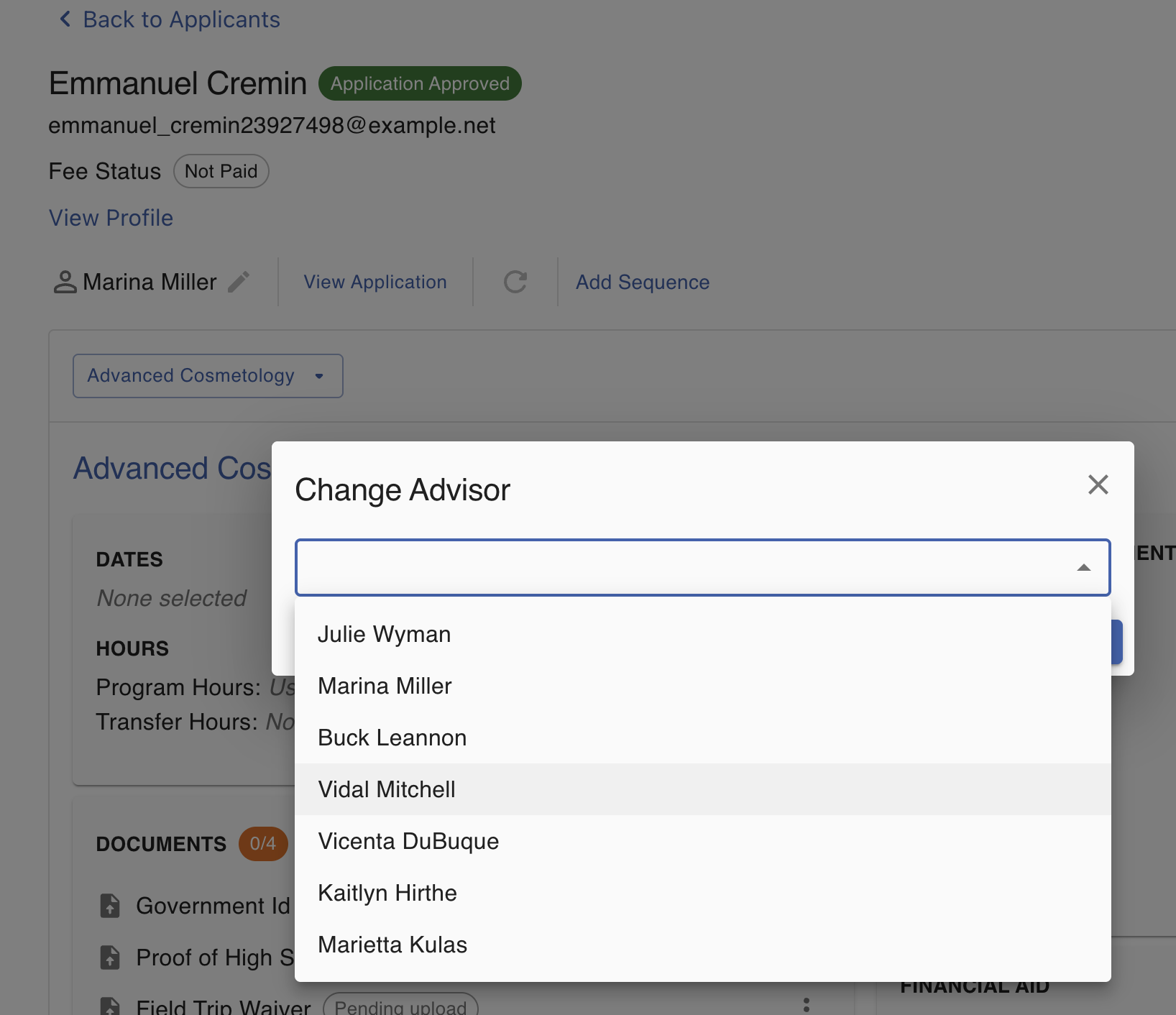
Step 6: Click 'Save' to confirm the changes.
FAQs
Why is a staff member not available to select as a new Admissions Advisor?
Staff must be tagged with the "Admissions Advisor" Duty from the Staff & Roles page.