Deleting a Lead
Last updated: December 26, 2025
This action cannot be undone
Video
Step-by-Step Guide
In this article, you'll learn how to remove a lead from MyPath. This might be necessary if a lead is no longer progressing with their application or has been created by mistake.
Step 1: Start by expanding the Admissions section of MyPath.
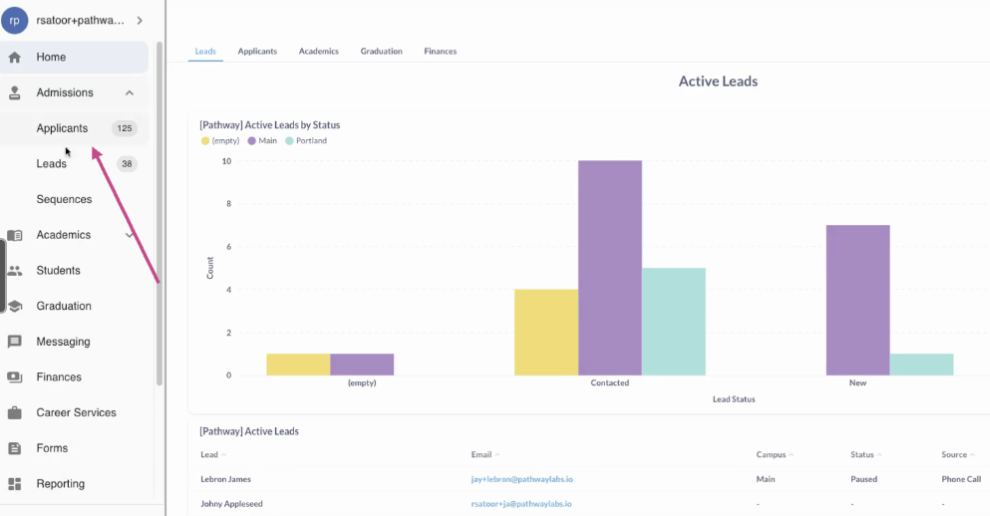
Step 2: Click on the Leads page.
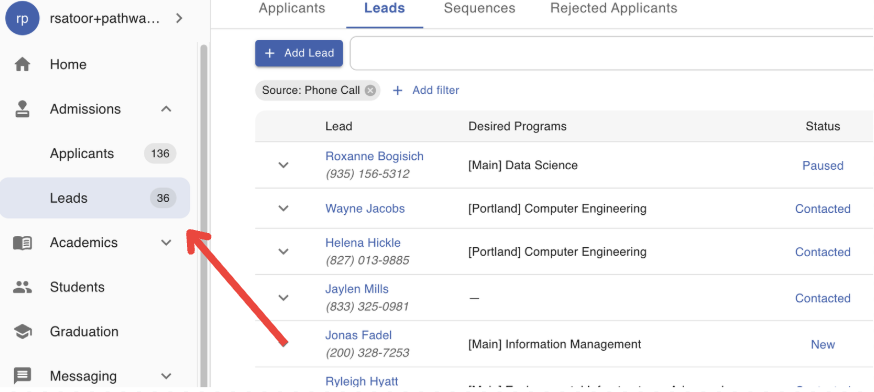
Step 3: Locate the Lead that you would like to delete.
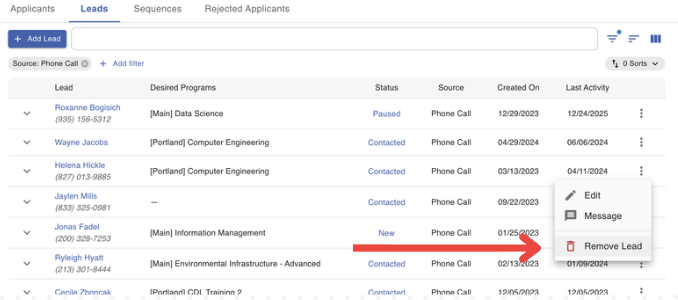
Step 4: Click on the "Action Menu" (three-dots) at the end of the lead's row.
Step 5: Click the "Remove Lead" option to delete the lead
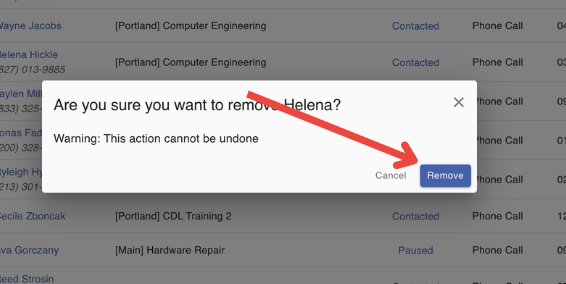
Step 6: Confirm the action by clicking "Remove". Please remember this action cannot be undone.
FAQs
Can this action be undone?
No, this action cannot be undone. Once a lead has been deleted, their information cannot be recovered. However, you can always add the lead again using the "Add Lead" form.