Managing Student Transfer Hours
Last updated: December 26, 2025
Video
Step-by-Step Guide
Welcome to this tutorial on MyPath. By the end of this guide, you'll know how to record and edit a student's transfer hours.
Step 1: Start by expanding the Admissions section of MyPath.
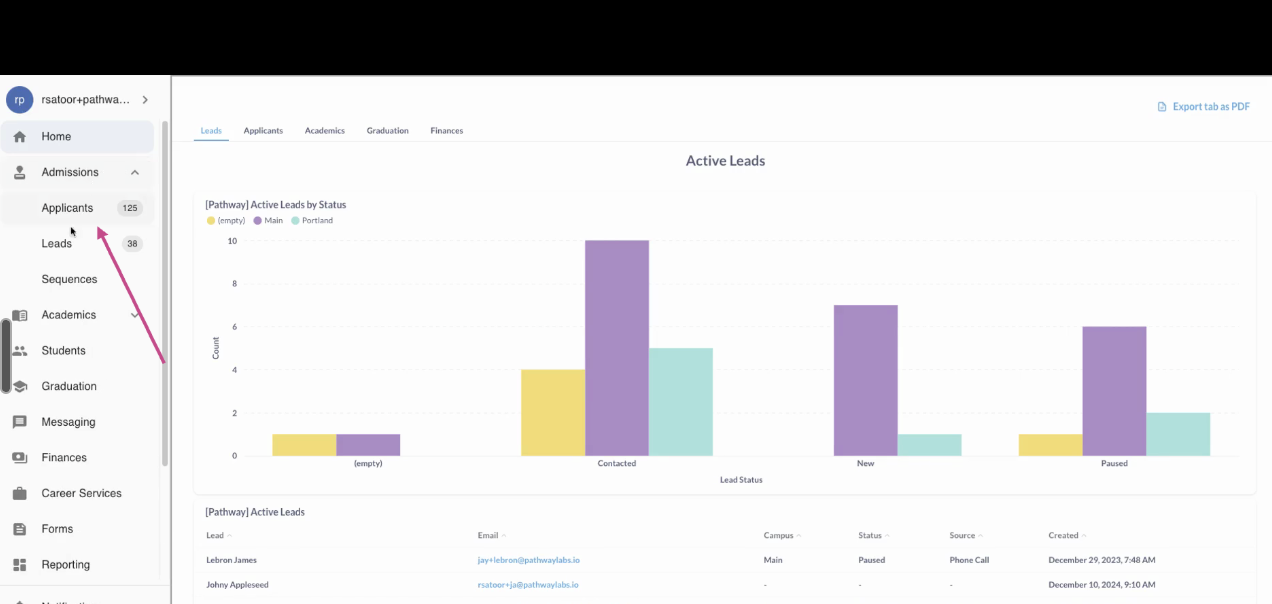
Step 2: Click on the Applicants page.
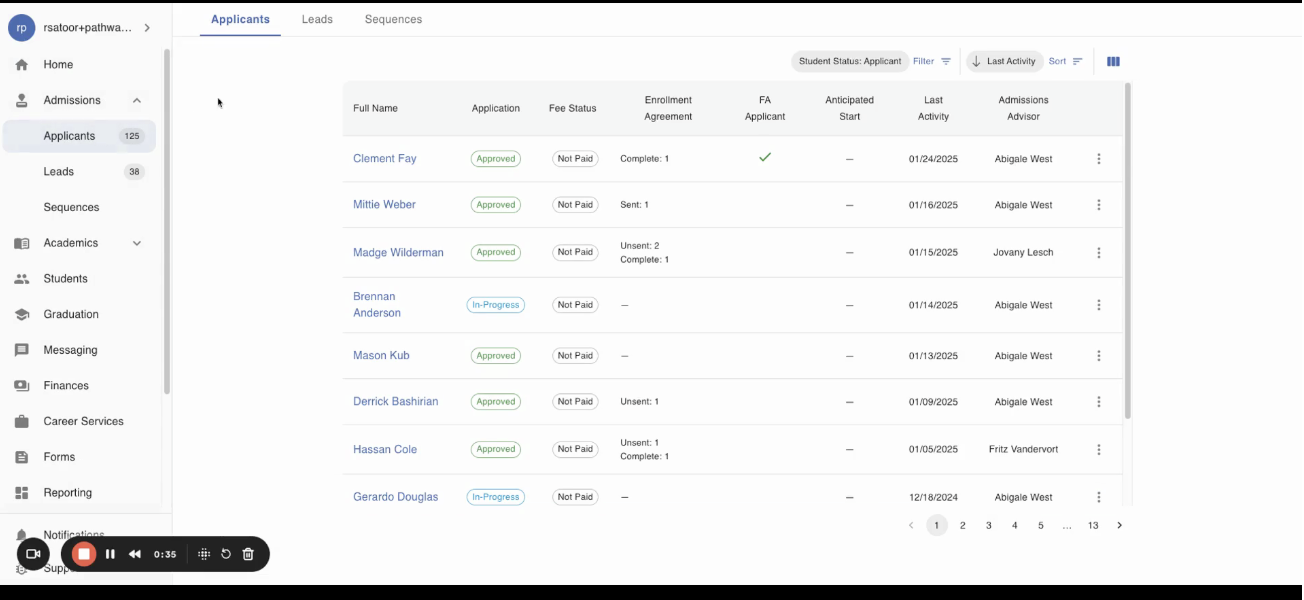
Step 3: Select the Applicant you would like to record transfer hours for.
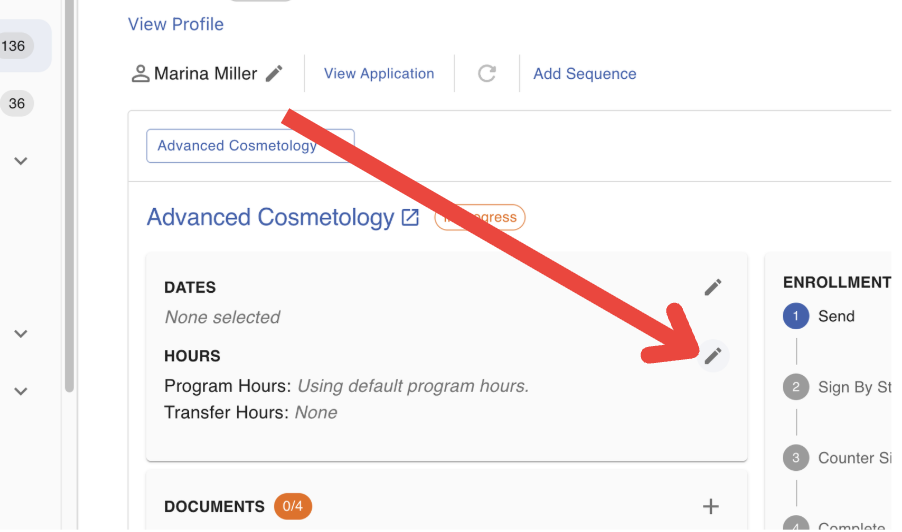
Step 4: Locate and click the Edit icon next to the Hours section
Step 5: Enter details related to the applicant's transfer hours.
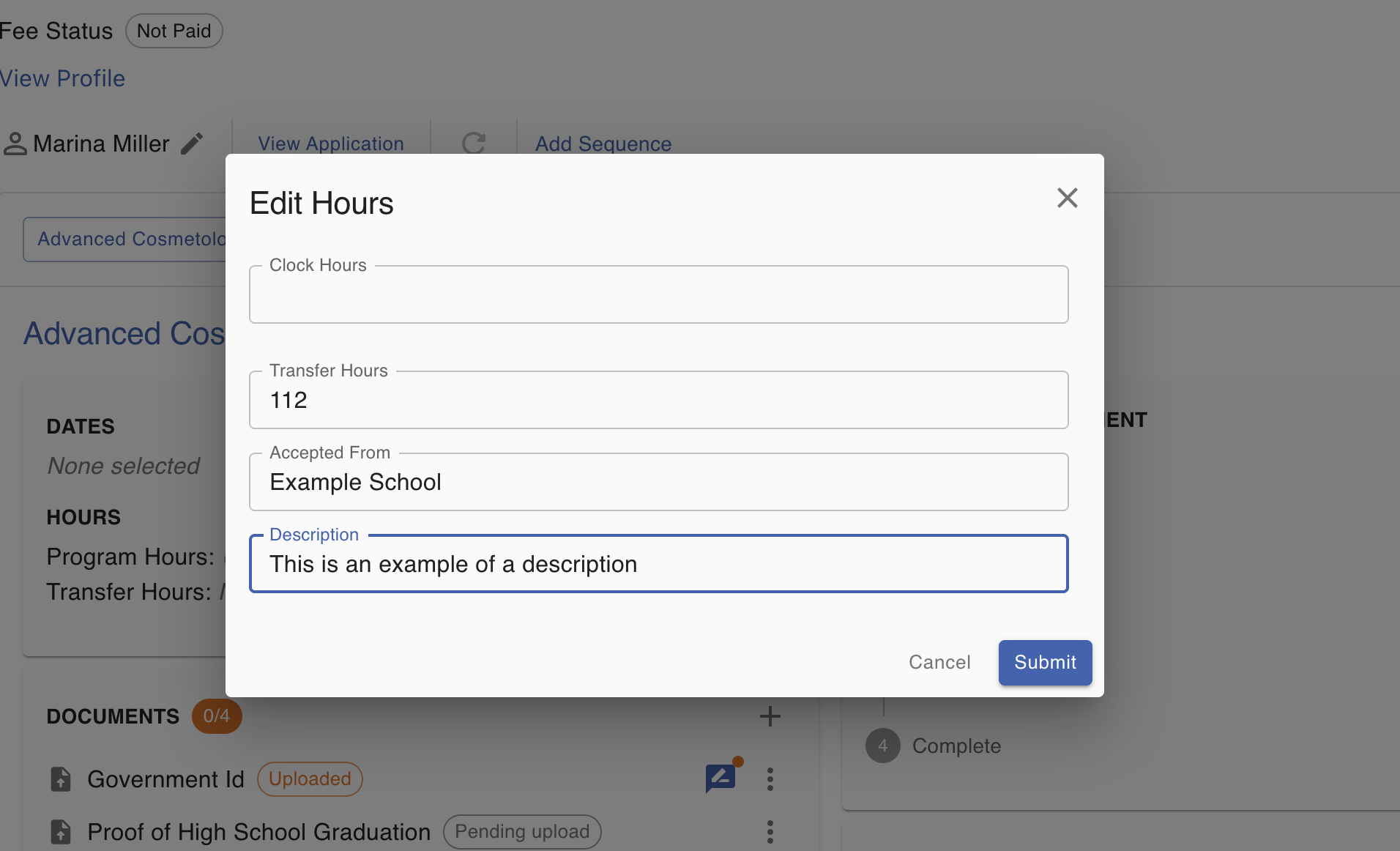
Step 6: Click "Submit to save the changes.
If you need assistance with editing an applicant's transfer hours, don't hesitate to contact your customer success representative.
FAQs
Can transfer hours be modified after a student has been enrolled?
Yes transfer hours can be edited from a student's Academics page.
Will transfer hours count towards their program total?
Yes, the transfer hours will be included when calculating the total number of hours the student has in their program enrollment.